Sharing Meta (FB) Business Manager

  1. Go to https://business.facebook.com/settings/people, click on Business Manager Sharing Meta (FB) Business Manager
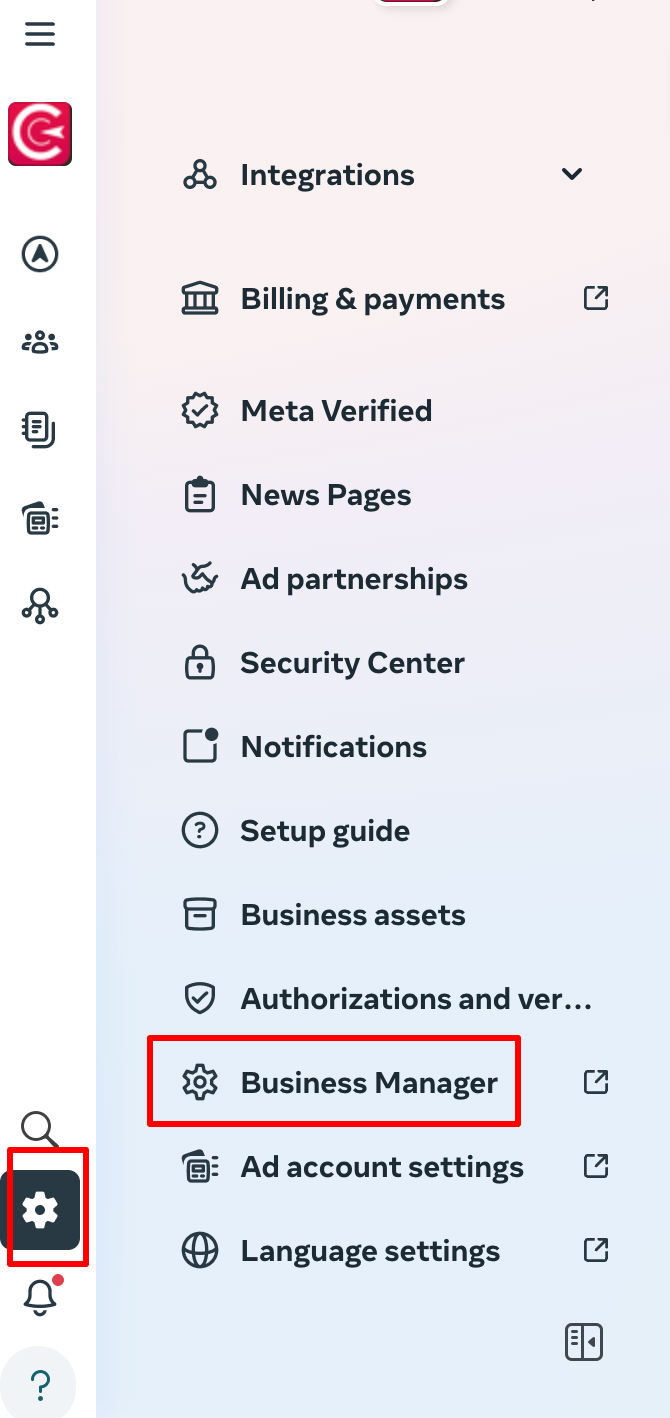
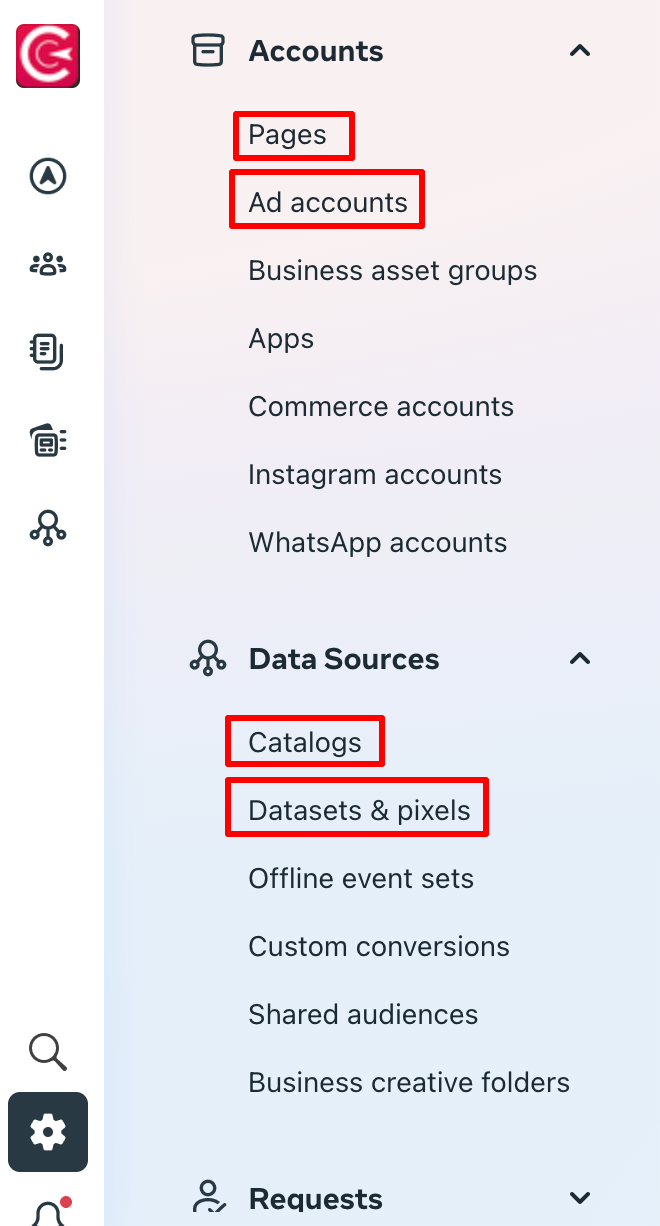
  2. We kindly ask you to share with us: 
    a. Facebook Page 
    b. Ad account 
    c. Datasets & Pixels 
    d. In case you have an e-shop, Catalogs
  3. You can find everything in the left column
Sharing Meta (FB) Business Manager

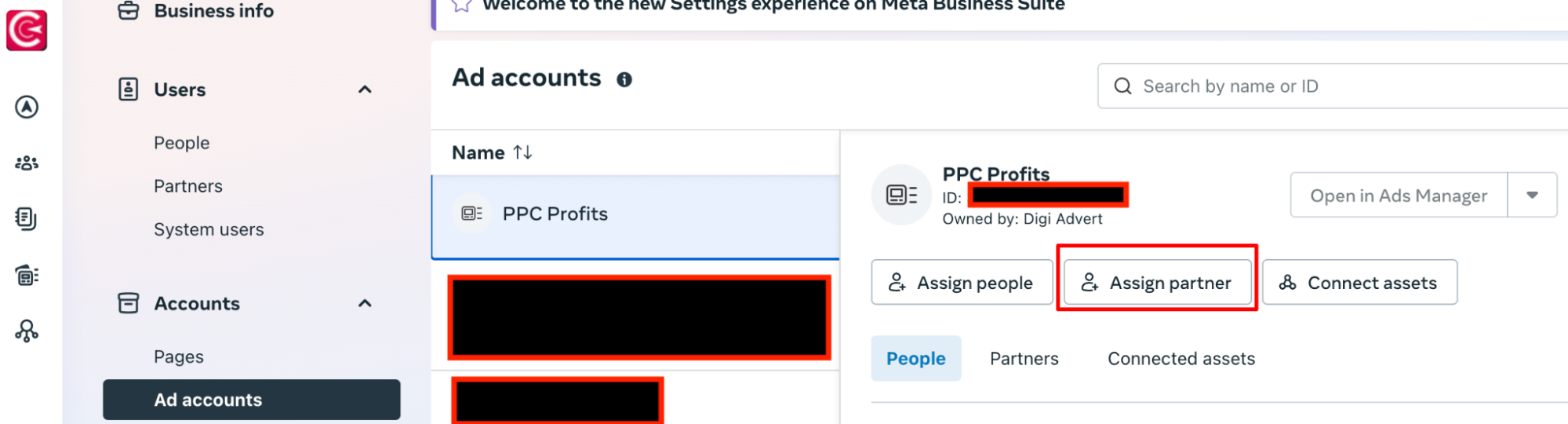
  1. Click either on Pages, Ad accounts, Catalogs or Datasets and follow the instructions below (assign partner)
  2. Sharing Meta (FB) Business Manager


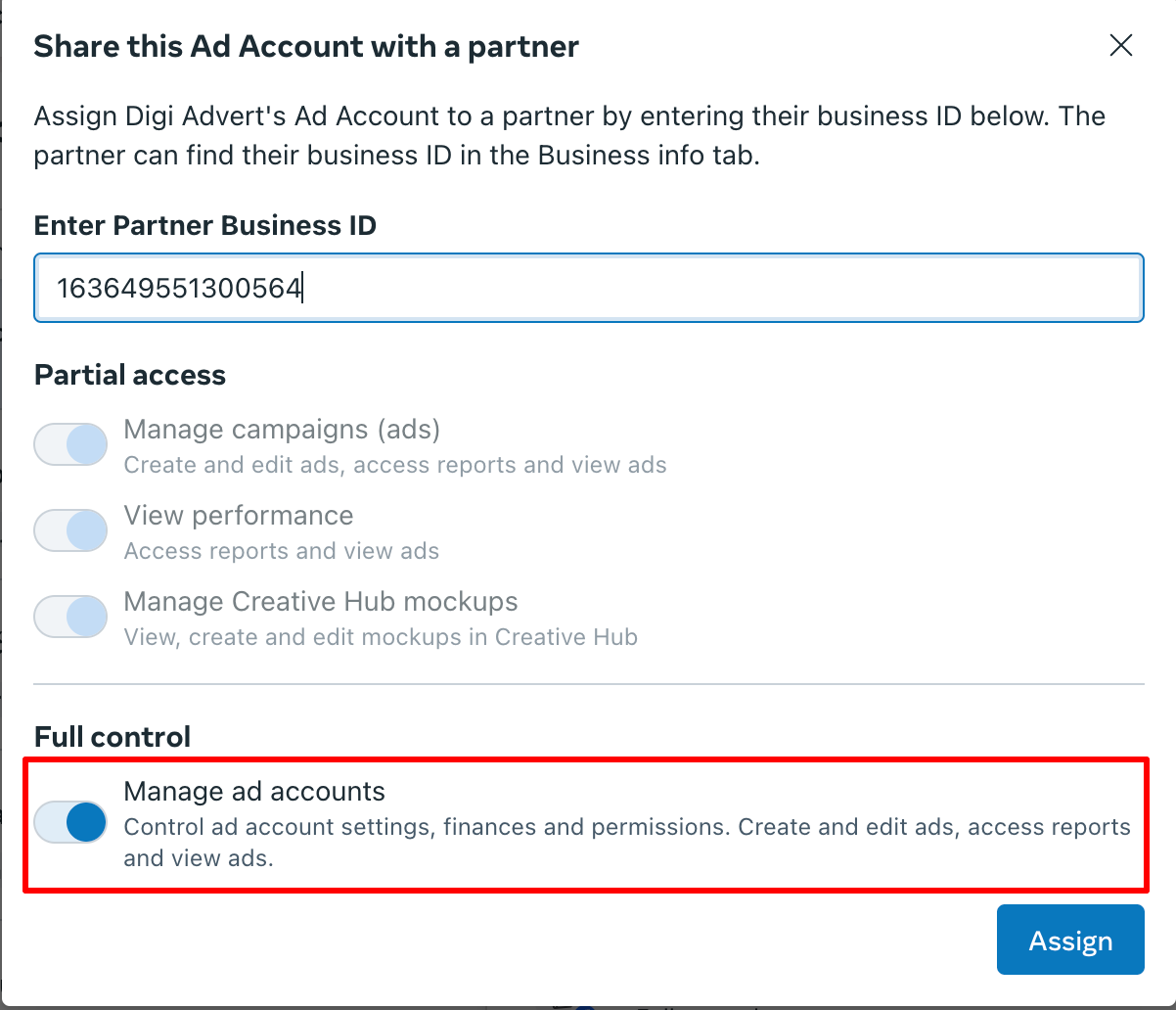
  1. Add our ID: 163649551300564


  1. Sharing Meta (FB) Business Manager


Zobrazit všechny návody

Používáme tyto nástroje

WordPress
PrestaShop
WooCommerce
Shoptet
Upgates
FastCentrik
GA4
Google Merchant
Google Tag Manager
Collabim
Marketing Miner
ahrefs
Ecomail
Mailchimp
Brno
Praha

Pojďme probrat váš byznys

Napište nám a my se vám obratem ozveme.

PPF
Nestlé
Adidas
VUT
Dr. Oetker
Roche
Suez
Skřivánek
Unis
Tüv Süd
SCAN quilt
Albixon
Broker Consulting

Odesláním souhlasíte se zpracováním osobních údajů